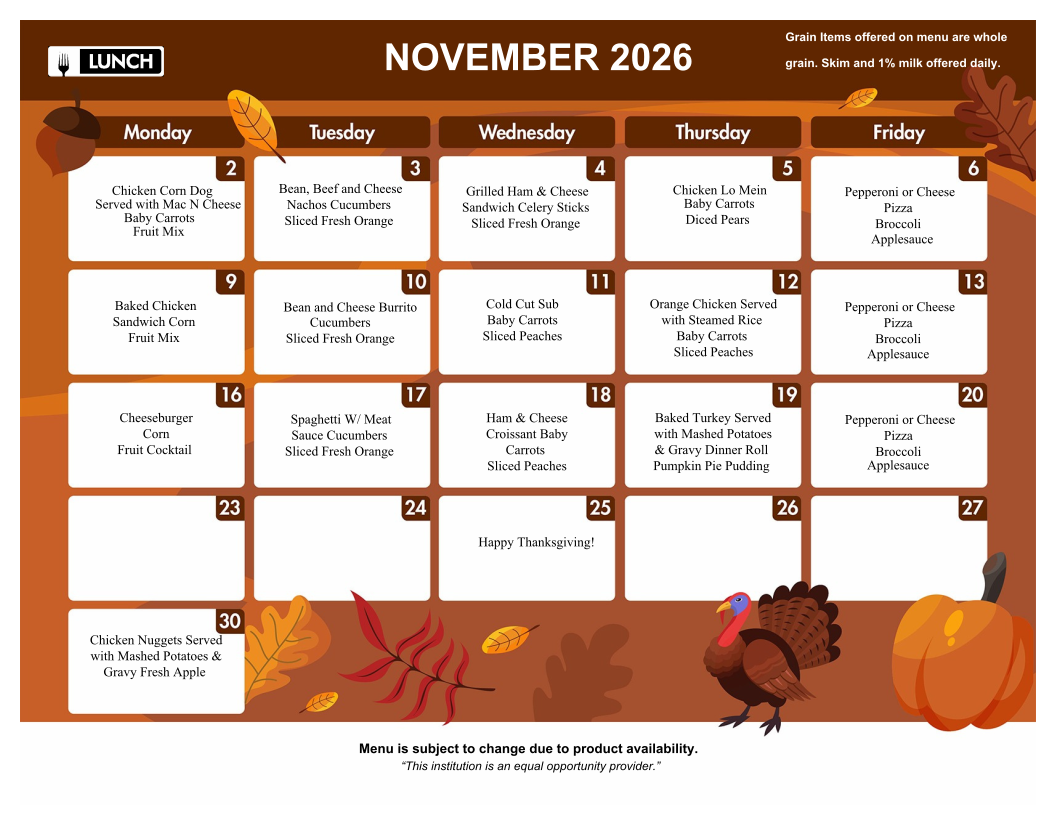
Lunch Menu
To place a lunch order log into FACTS Family Portal
Follow the steps below:
- Once logged in to FACTS Family Portal on the left hand side select “Student“
- A list will appear and select “Lunch“
- Next to the student name click on “+ CREATE WEB ORDER“
- Click on your child’s name
- Click on the day(s) you wish to order lunch for
- In the Quantity Box enter “1” ($3.25 each)
- Make sure the “Grand Total” equals the amount of lunches you entered
- Click “Submit Order”
Lunch is $3.25 (You may only purchase one lunch per student)